Clarnix help · Email activity
Review email activity and correct classification errors
Email activity is the record of every message Clarnix handled and what it did with it. It is also the place to tell it when it got something wrong.

It opens on the last 8 hours

The page deliberately opens on the narrowest range. If your older mail seems to have disappeared, widen the range before assuming anything is missing: 24 hours, 7 days, 30 days and All are all available from the same control.
How far back the record goes depends on your plan: 7 days on Starter, 30 on Pro, and 90 on Team and Team Pro.
Reading a row
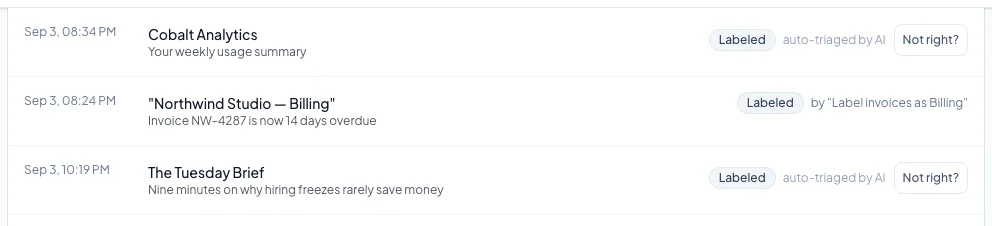
One line per email: when it arrived, who sent it, the subject, what Clarnix did as a set of badges, and whether a rule of yours or the AI decided it. You can filter by sender or subject text, by action, by rule, by account, and on a team by member.
The "Not right?" button

Every row has one. It opens a short form with two options, both ticked by default:
- Put this email back in my inbox: undoes what happened to this one message.
- Keep future email from this sender in my inbox: this is the part that changes what happens next time.
Under the second option you choose the scope: everyone at that sender’s domain, which is the default, or only that one address. The domain-wide default is broader than most people expect, so narrow it if you only meant one person.
Saving also tells us the classification was wrong. That happens automatically. There is no separate button for it, and there is no way to say "this should have been in Action required" from this form.
If your own rule filed the message, the protection option is not offered: the thing to change is the rule. And if the message could not be moved back, you are told so plainly. Your correction is still recorded.