Clarnix help · Auto-handled
Review email handled automatically by Clarnix
Everything filed away without troubling you, in one list, with a one-click way to pull anything back and teach Clarnix it was wrong.

What is on this page
This is the mail that did not make your briefing: newsletters, receipts, notifications and anything else judged not to need you. Each row shows the sender, the subject, when it arrived, and whether one of your rules or the AI made the call, so you can tell a decision you made from one Clarnix made.
It is worth skimming occasionally in the first few weeks. It is the fastest way to see whether Clarnix has understood your mail.
Pulling something back
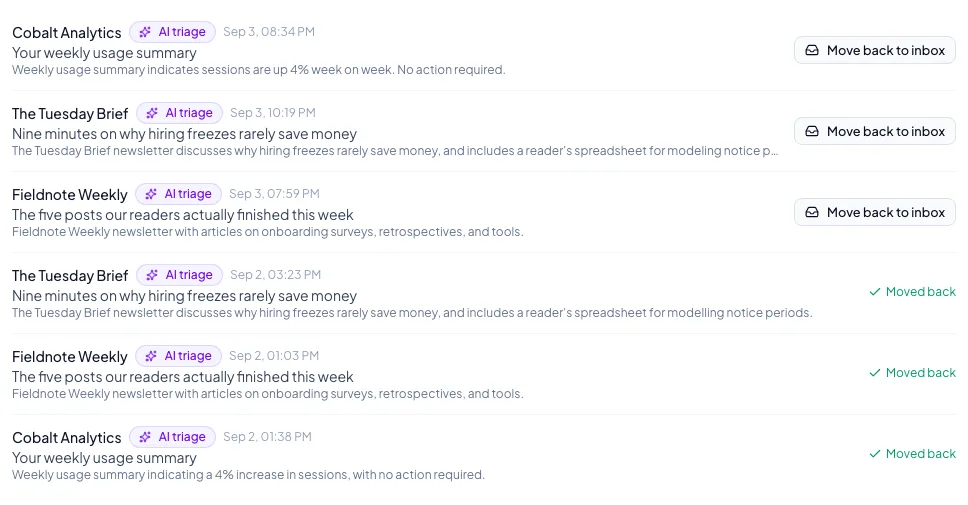
Move back to inbox does two things at once: it restores that message, and it records that the message deserved more of your attention. That correction feeds back into how similar mail is judged.
Occasionally a message cannot be moved back: it was never archived, or the email account does not support the move. When that happens you are told, and the correction is still recorded. If you want a sender left alone permanently rather than rescued one message at a time, add them to the protected senders list in AI Triage.