Clarnix help · AI Triage
Configure AI email triage in Clarnix
AI Triage controls what Clarnix does with mail that no rule matched: how it judges importance, what happens to the noise, and which senders it leaves alone.

What the AI decides
Every new message that no rule of yours matched goes to the AI. It returns four things and nothing else: a priority, a short topic, a one-line summary of why the message matters, and how confident it is.
Priorities shown to you are: Action required, Ongoing issues, FYI, and Auto-handled. Its judgement comes from the sender, subject and body of the message together with the context you gave during onboarding and whatever you have told it here.
The body of your email is held in memory only while this happens, and is never written to our database. What is kept is the metadata (including the subject line), the AI’s verdict, and its summary.
What happens to the noise
Mail the AI marks as noise gets your chosen noise action. You can set it to archive the message, apply a label of your choosing, or just mark it read. Archive is the default. A fourth option, Move to bin, sends it to your Bin / Deleted Items / Trash instead. Nothing is deleted permanently: Gmail empties its Bin after 30 days, and with Gmail and Outlook you can put it back from Auto-handled. It is never switched on for you.
You can also switch AI triage off entirely for the account. With it off, nothing reaches the classifier and only your own rules act on incoming mail.
Teaching it about your work
- Context about your role and your company helps it tell a routine notification apart from something that needs you.
- Triage instructions are free text: what you care about, what you never want to see, which senders matter.
- Learning from corrections lets it take account of the times you have told it that it got something wrong.
Keeping certain senders in your inbox
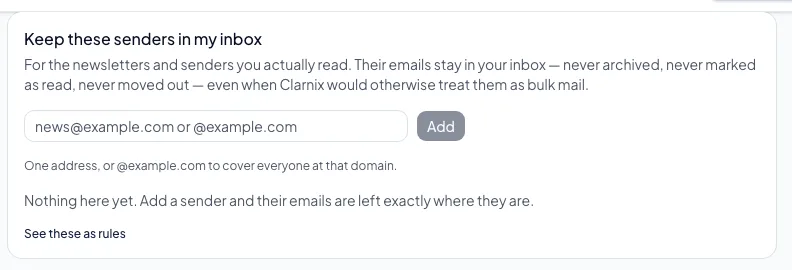
The "Keep these senders in my inbox" card is the exception list. A sender on it is left in your inbox regardless of what the AI thinks of the message.
It is the same protection you get from the "Not right?" button on the Email activity page. They are two doors onto one list, not two separate lists. Each rule holds up to 50 senders. Anything too complex to show as a simple list appears read-only under "Also kept in your inbox".